
SimplePractice Client Portal
SimplePracticeMedical
3.9488.00 Reviews
- Version
- 1.8.5
- Installs
- 1.00M
- Age Rating
- Everyone
Screenshots
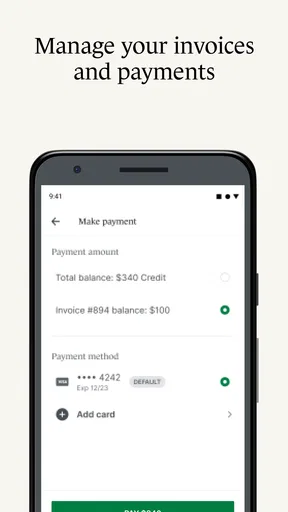
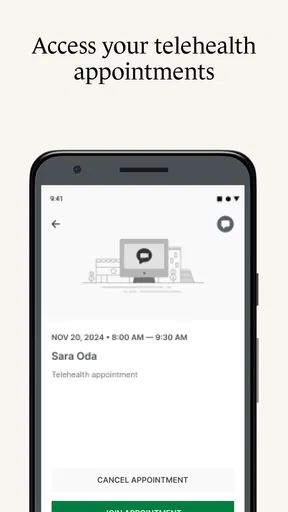
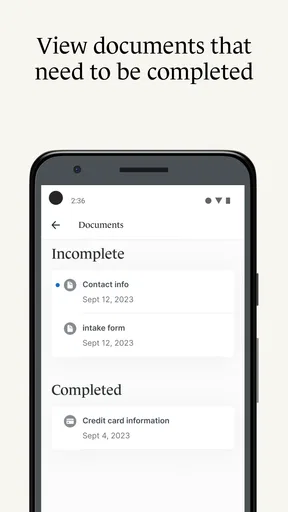
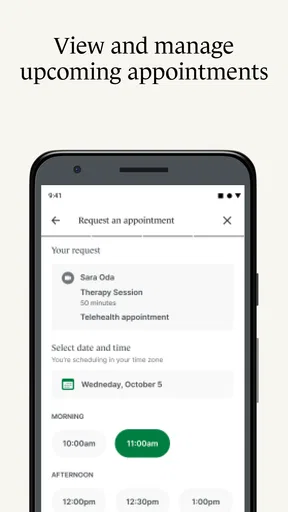
Our Review of SimplePractice Client Portal
 Analysis by Appyee
So, I recently got my hands on the SimplePractice Client Portal, and I have to say, it’s been a game-changer for managing client interactions. If you're a therapist or a healthcare professional looking to streamline your practice, this app might just be your new best friend. Let me walk you through what I discovered.
Streamlining Client Communication
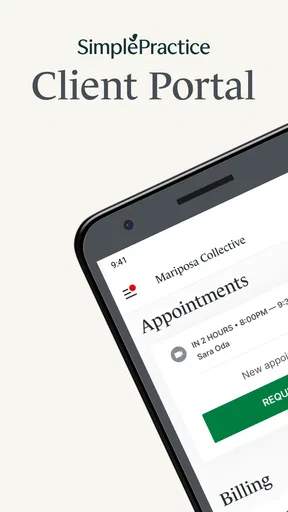
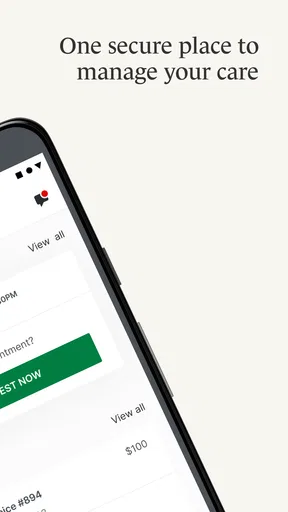
The first thing I noticed about the SimplePractice Client Portal is how it revolutionizes client communication. Everything you need is right at your fingertips. Clients can easily schedule appointments, fill out forms, and even pay their bills directly through the app. It’s like having a virtual office assistant that never sleeps. This kind of accessibility makes life easier not just for professionals but for clients as well.
User-Friendly Interface
Let’s talk about the interface for a second. It’s super intuitive. Seriously, even if you're not tech-savvy, you’ll find it a breeze to navigate. The design is clean and straightforward, which I appreciate because it means less time clicking around and more time focusing on what really matters - my clients. The dashboard provides a clear overview of upcoming appointments and recent communications, so you're always in the loop.
Security and Privacy
In today’s world, security is paramount, especially when dealing with sensitive client information. The app uses top-notch encryption to ensure all data remains private and secure. This gives both professionals and clients peace of mind. No one wants to worry about data breaches, and with SimplePractice, you don’t have to.
Customizable Features
Another aspect worth mentioning is the level of customization available. You can tailor the client portal to fit the specific needs of your practice. Whether it's personalizing email templates or creating custom forms, the flexibility here is impressive. This means you can provide a more personalized experience for your clients, which is always a win.
Integration Capabilities
I was also impressed by how well the app integrates with other tools and platforms. Whether you're syncing calendars or managing billing with third-party software, SimplePractice makes it seamless. It’s like they thought of everything to make sure your workflow is as smooth as possible.
Overall, the SimplePractice Client Portal is a robust tool for any professional looking to enhance their practice’s efficiency and client satisfaction. Whether you're just starting out or have been in the field for years, this app has features that can adapt to your needs.
In conclusion, I’d highly recommend giving this app a shot. It’s a worthwhile investment that could save you time and headaches in the long run. Plus, the convenience and peace of mind it provides are truly invaluable.
Privacy and Permissions
See what permissions an app requests and how it handles your data.
- Phone
- read phone status and identity
- Photos/Media/Files
- read the contents of your USB storage, modify or delete the contents of your USB storage
- Storage
- read the contents of your USB storage, modify or delete the contents of your USB storage
- Camera
- take pictures and videos
- Microphone
- record audio
- Device ID & call information
- read phone status and identity
- Other
- view network connections, pair with Bluetooth devices, send sticky broadcast, control flashlight, full network access, change your audio settings, prevent device from sleeping, Google Play license check, read Google service configuration
Verdict
Strengths of SimplePractice Client Portal
- User-friendly interface for easy navigation.
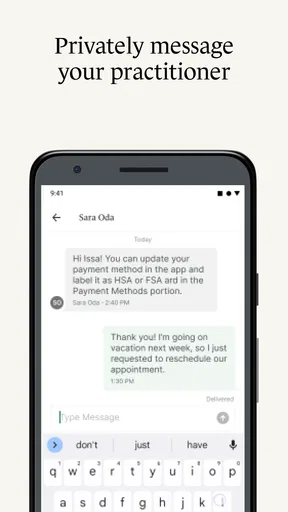
- Secure messaging ensures privacy.
- Appointment scheduling is seamless.
- Document upload feature is convenient.
- Mobile app available for on-the-go access.
Limitations of SimplePractice Client Portal
- Limited customization for client profiles.
- Occasional sync issues with calendars.
- No offline mode available.
- Notifications can be delayed.
- Some features require a premium plan.
Other Releases by SimplePractice
View All
Telehealth by SimplePractice
Medical4.4
Similar Picks in This Category
View All
WebMD: Symptom Checker
WebMD, LLC4.1

Microphone Amplifier
DOSA Apps4.2

Anatomy Learning - 3D Anatomy
3D Medical OU4.5

Period Tracker and Calendar
SimpleInnovation4.9

GoodRx: Prescription Coupons
GoodRx4.8

CVS Health
CVS Pharmacy4.5
Frequently Asked Questions
What is the SimplePractice Client Portal used for?
The SimplePractice Client Portal is designed to streamline communication between clients and practitioners. It allows clients to schedule appointments, access documents, and communicate securely with their provider. This portal aims to enhance client engagement by providing an easy-to-use interface for managing their appointments and accessing necessary resources.
How do I set up my account on the SimplePractice Client Portal?
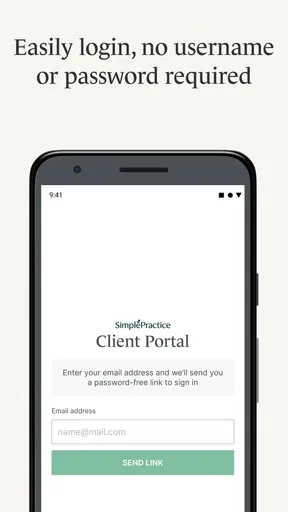
To set up your account, you need to receive an invitation from your provider. Once you have the invitation, follow the link to create your login credentials. After setting up your account, you can access the portal to schedule appointments, fill out forms, and communicate with your provider securely.
Is the SimplePractice Client Portal secure?
Yes, the SimplePractice Client Portal is designed with security as a top priority. It complies with HIPAA regulations, ensuring that all client information and communications are encrypted and protected. This means you can share sensitive information with your provider with confidence, knowing it is kept private.
Can I access the SimplePractice Client Portal on my mobile device?
Absolutely, the SimplePractice Client Portal is optimized for use on both Android and iOS devices. You can conveniently access the portal through your smartphone or tablet's browser, making it easy to manage your appointments and communicate with your provider on the go, without needing a computer.
What should I do if I forget my password for the Client Portal?
If you forget your password, you can easily reset it by clicking on the 'Forgot Password?' link on the login page. Follow the instructions to receive a password reset email. If you encounter any issues, your provider can assist you with accessing your account or resetting your login information.
